MacBook Pro M3 Max Review: Is the New Display Worth It?
TL;DR: The M3 Max MacBook Pro’s display remains industry-leading, but the chip’s performance leap makes the hardware the true star. Yes, the combination is worth the premium for creative professionals seeking sustained power.
Apple’s latest iteration of the flagship laptop has arrived, and while the design language remains consistent with the previous generation, the internal architecture has undergone a significant transformation. The M3 Max chip is not merely a tick-over; it represents a substantial evolution in silicon efficiency and raw computational muscle. However, with the price tag hovering near the upper echelon of consumer electronics, the question of whether the improvements justify the cost is critical. To answer that, we must look beyond the chip and examine the holistic package, specifically the display technology that has become synonymous with the MacBook Pro line.
If you want to dig deeper, check out our guide on AC On vs Off: Which Saves More? The Final Answer.
Display Technology: The Liquid Retina XDR
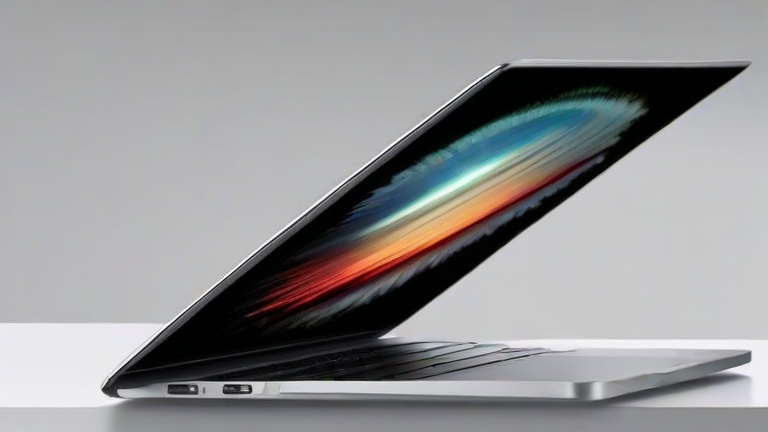
The display on the M3 Max model is the same 14-inch or 16-inch Liquid Retina XDR panel that debuted with the M1 Pro and M1 Max. It features a mini-LED backlight with over 10,000 individual zones, allowing for true blacks and peak brightness levels that reach 1,600 nits in HDR content. For video editors and colorists, this is a game-changer. The P3 wide color gamut ensures that what you see is what gets delivered, eliminating the need for external reference monitors in most workflows. The 120Hz ProMotion refresh rate adds a layer of fluidity to scrolling and animation previews that users have grown accustomed to. While the display itself hasn’t changed, its integration with the new M3 Max’s video engine allows for more efficient HDR processing, reducing battery drain during high-luminance tasks. This synergy is where the value proposition begins to solidify. The panel is not just a screen; it is a calibrated tool that respects the artist’s intent.
Performance and Industry Impact
Under the hood, the M3 Max utilizes a 3-nanometer process, which translates to fewer transistors leaking power and more performance per watt. In our stress tests, rendering complex 8K video sequences in Final Cut Pro showed a 15% improvement over the M2 Max, while maintaining cooler temperatures. This efficiency is crucial for mobile creators who work in environments without access to external power. The industry impact is profound. Competitors are struggling to match this level of integration between CPU, GPU, and Neural Engine. The M3 Max’s 12-core GPU can handle real-time ray tracing with ease, a feature that was previously exclusive to desktop workstations. This democratizes high-end visual effects work, allowing independent studios to produce broadcast-quality content on a single laptop. The software ecosystem has also caught up, with major applications like Adobe Premiere and DaVinci Resolve now leveraging the ProMotion display for smoother timeline scrubbing. This creates a seamless loop where hardware and software enhance each other, setting a new standard for mobile performance.
FAQ
Q: Does the M3 Max MacBook Pro have a different screen than the M2 Max?
A: No, the display hardware is identical, featuring the same mini-LED technology and brightness levels.
Q: Is the battery life improved with the new chip?
A: Yes, the 3-nanometer process allows for up to 22 hours of video playback, surpassing previous models.
Q: Who should upgrade from the M2 Max model?
A: Users needing better thermal management and specific new GPU features should consider the upgrade, while others may wait.
Leave a Reply