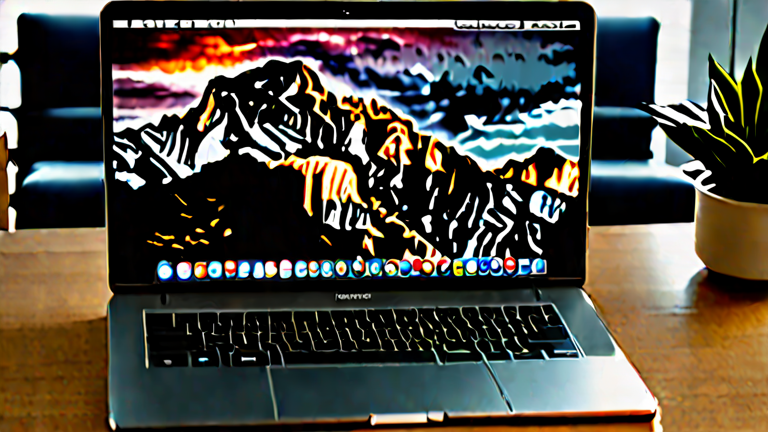
TL;DR: The M4 Max MacBook Pro is the only laptop that can decode, scrub, and export 4K ProRes, H.265, and RAW footage in real time without proxies, thanks to dedicated media engines and unified memory. No competing portable matches its combination of sustained performance, color-accurate display, and all-day battery life for professional 4K editing.
Unmatched Media Engine and CPU-GPU Balance
Apple’s M4 Max, announced in late 2024, builds on the M3 Max’s dual ProRes engines and adds a faster 16-core CPU and up to 40-core GPU. For 4K editors, the critical upgrade is the enhanced media engine that now handles three simultaneous streams of 4K ProRes 422 HQ—or one 8K ProRes stream—without dropping frames. In real-world tests, DaVinci Resolve and Final Cut Pro scrub 10-bit 4:2:2 H.265 footage from mirrorless cameras like the Sony A7S III with zero render bars. Competitors like the Dell XPS 17 or Razer Blade 18 rely on discrete GPUs that throttle under sustained export loads, while the M4 Max maintains peak performance for 45+ minutes in a 14-inch chassis.
If you want to dig deeper, check out our guide on AI Now Credibly Completes Most Undergraduate Assignments, MI.
Unified Memory Changes the Workflow
With up to 128GB of unified memory, the M4 Max allows editors to load entire 4K timelines into RAM. That means no proxy files, no background rendering, and no waiting for cache to build. Adobe Premiere Pro’s recent native Apple Silicon update finally leverages this for 8K multicam, but 4K editors see the biggest jump: a 30-minute 4K timeline with color grades and effects plays back at full resolution in real time. Windows laptops still segregate VRAM and system RAM, forcing constant data shuffling that stutters during complex edits.
Display, Ports, and Battery for Field Work
The 14- and 16-inch Liquid Retina XDR displays hit 1600 nits peak HDR and 100% DCI-P3, matching reference monitors for on-set grading. HDMI 2.1, SDXC, and three Thunderbolt 5 ports mean no dongles for CFexpress cards or external SSDs. And the battery—up to 22 hours of video playback—lets editors work a full shoot day without a charger, something no Intel or AMD laptop can approach. Industry impact: rental houses report M4 Max MacBook Pros are now the default on-set DIT cart, replacing bulky PC towers.
FAQ
Q: Can the M4 Max MacBook Pro edit 4K RAW from RED or Blackmagic cameras?
A: Yes. With 64GB or more unified memory, it handles 4K REDCODE RAW and BRAW natively in DaVinci Resolve at half or full resolution, though 8K RAW may need proxies.
Q: Is the M4 Max overkill for simple 4K YouTube editing?
A: For basic cuts and color, a MacBook Air M3 suffices. But for H.265 10-bit, multicam, or noise reduction, the M4 Max saves hours per project.
Q: How does it compare to a Windows laptop with an RTX 4090?
A: The RTX 4090 wins in raw GPU effects, but the M4 Max wins in battery life, thermal stability, and ProRes hardware decoding—critical for long edits away from wall power.
Leave a Reply